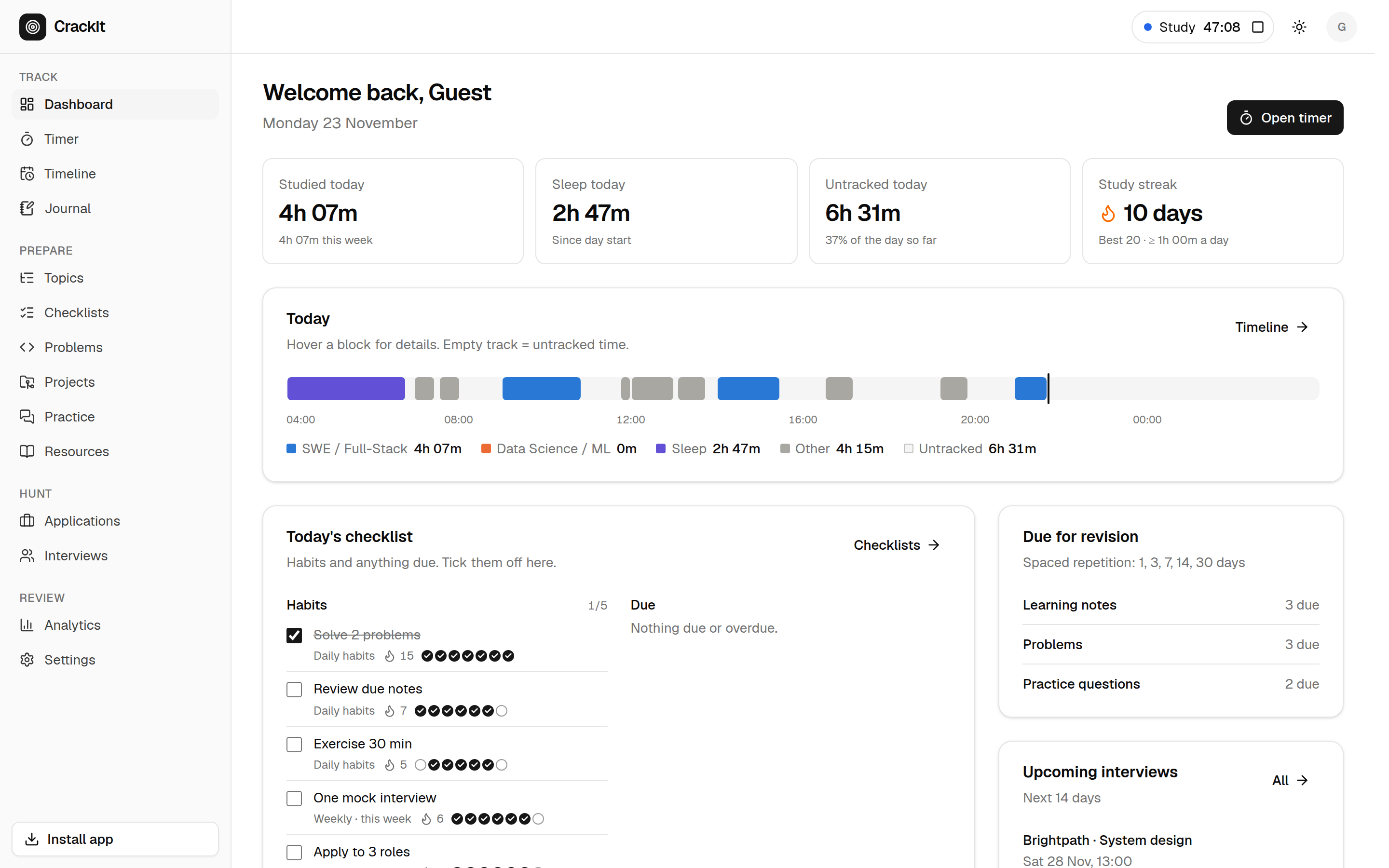
Overview
The problem
Job-hunt preparation was spread across spreadsheets, LeetCode, a notes app, and a calendar, so simple questions had no answer: how many hours did I really study for SWE this month, which topics am I weak on, and which applications are waiting on me?
The solution
CrackIt brings it all into one app. You define your own targets and it tracks everything around them: study time, a journal with spaced repetition, topic roadmaps, coding problems, job applications, and interviews, with analytics that show whether you are actually making progress.
My role
Solo developer: designed the architecture and database schema, built all 16 feature modules, wrote the unit, integration, and end-to-end tests, and set up CI/CD and deployment on Vercel and Neon.
Key features
- Custom preparation tracks with topic roadmaps up to four levels deep and progress computed from leaf topics
- One-click study timer that survives closing the tab or switching devices, plus manual time entries
- Daily journal with spaced-repetition revision of learning notes at +1, +3, +7, +14, and +30 days
- Coding-problem log with attempts, solve status, and revision scheduling
- Job-application kanban board with drag and drop and an interview calendar
- Analytics for hours per track, sleep, focus, and the application funnel, from 7 days to 12 months
- Installable PWA with dark mode, keyboard shortcuts, JSON backup and restore, and CSV export
Screenshots
Select a screenshot to view it full size.
Architecture
Modular monolith, feature-based and layered. One deployable app, split internally into 16 feature modules. Inside each module the code is split into the same strict layers, and each layer has exactly one job. Changes pass through every layer; pages that only read data call the services directly. Select a layer to see what it does.
Layer 1
UI
Renders pages. Server Components fetch data on the server; Client Components are only the small interactive pieces.
- Pages are thin: they check the user, call a service to read data, and render the result
- Static shell prerendered, user data streamed in with Suspense (Partial Prerendering)
- Client Components are kept to small interactive pieces such as the timer, forms, and the kanban board
Testing and CI/CD
Tests run against a real Postgres database, because the constraints are the business rules and mocking them would test nothing. Every change goes through CI before it can reach production.
Testing pyramid
End-to-end · 18 filesPlaywright
Log in, start a timer, see the entry; drag a kanban card; no sideways scroll at 360px
Integration · 14 filesVitest + real Postgres
Timer entries cannot overlap; a backup restores cleanly into another account
Unit · 33 filesVitest
Day windows across daylight saving, streaks, pipeline rules, spaced repetition
CI/CD pipeline
Four jobs run in parallel on every change; only a green build reaches deployment.
Quality
Lint, typecheck, format check, unit tests with coverage
Integration
Postgres service container, migration drift check, integration tests
End-to-end
Production build, then Playwright tests in a real browser
Docker
Build images, run migrations, start the container, smoke-test /api/health
Vercel
Preview per PR, production on main; migrations run in the build
Smoke test
Health endpoint and login page checked after each deploy
Nightly backup
Encrypted pg_dump of production, plus Neon point-in-time restore
Challenges
Time zones and “logical days”
Problem
If you study until 2 AM, that time belongs to yesterday, not today.
Solution
Each user has a time zone and a day-start hour, so a day runs from, say, 4 AM to 4 AM locally. Everything is stored in UTC and all date math lives in one tested module, which keeps it correct across daylight saving changes.
Backups that can't corrupt or leak data
Problem
Importing a JSON file could overwrite data partially or reference another user's rows.
Solution
Imports are validated with Zod, every id is remapped to a fresh one, and everything is replaced in one transaction. A type-level check fails the build if a new table is left out of backups.
Forms that lost their input
Problem
React 19 resets forms after every Server Action, so users lost what they typed when validation failed.
Solution
A small hook submits the form without resetting it, used across every form in the app.
Key decisions
Modular monolithoverMicroservices
One codebase, one deploy, and transactions across features, without distributed-systems overhead for a single developer.
PostgreSQLoverMongoDB / MySQL
The data is relational, and Postgres can enforce rules the others can't, such as exclusion constraints on time ranges.
Server ActionsoverA separate REST API
Type-safe calls with no API layer to version and secure; route handlers only where they fit, like file download.
Real-Postgres testsoverA mocked database
The constraints are the business rules, so tests must run against a real database to mean anything.
Results and learnings
Outcome
- Live on Vercel with a Neon PostgreSQL database
- 16 feature modules and 26 database models in one modular monolith
- 65 test files (33 unit, 14 integration, 18 end-to-end) with CI on every pull request
- Installable PWA, responsive down to 360px, with dark mode and keyboard shortcuts
What I learned
- Putting rules in the database as well as the code catches bugs that tests miss.
- Pure functions for business logic make a large app easy to change safely.
- New framework versions change behaviour in ways the docs don't cover yet, so reading the source and writing a regression test for each surprise was worth it.